
How to Make a Good Wishlist: 8 Tips
A wishlist only works if the people you send it to can act on it. A list that arrives two days before the party, has one $200 item and says “a nice sweater” ends up ignored: people guess, double up, or write to ask, and the surprise is gone. These eight tips fix that.
They work for any online wishlist: birthday, Christmas, wedding, baby shower or housewarming. The examples use Onelist, but the advice applies wherever you keep your list. If you haven't made one yet, start with the step-by-step guide with screenshots.
In short: a good wishlist (or wish list) is sent early, names the exact product with its size, color or model, mixes small and big gifts, includes options that can be delivered, and lets people choose without having to ask you.
How to make a good wishlist: the short version
- Send it at least a week ahead, so people have time to choose and order.
- Add gifts at different prices, so every guest can find one that fits.
- Include gifts that can be ordered online, for people who can't get to a store.
- Spell out size, color, edition or model, so nobody has to guess or ask.
- Remember gifts that aren't things: meals, time, help, an experience.
- Mark one or two top picks, and add a few words on why you want them.
- Remove what you bought, add new ideas, and reuse leftovers next time.
- For a wedding, baby or housewarming, let your partner edit the list too.
Tip 1: Send your wishlist at least a week before the event
Choosing a gift takes longer than it looks. People compare options, check the price against their budget, order online and wait for delivery. A wishlist that shows up two days before a party leaves them two choices: guess, or skip the list.
One week is the minimum, not the goal. Send the link earlier and it will do its job; it also stays the same when you add or remove gifts later, so there is no reason to wait until the list is perfect.
Rules of thumb for when to send it:
| Occasion | Send the wishlist |
|---|---|
| Birthday | 2–3 weeks before |
| Christmas | Early November |
| Wedding | With the save-the-date or invitation |
| Baby shower | With the shower invitation |
| Housewarming | With the invitation |
Tip 2: Include gifts in different price ranges
People have different budgets, and different ideas of how much a gift should cost. You may not know either when you invite a group: your child's classmates and their parents, colleagues, distant relatives. If every item on the list costs $100, the people who can't spend that will buy something off the list or feel awkward.
A simple spread works well: a few small things (under $25), several in the middle ($25–75) and one or two bigger gifts that family can chip in on. Everyone then finds something that feels right for them.
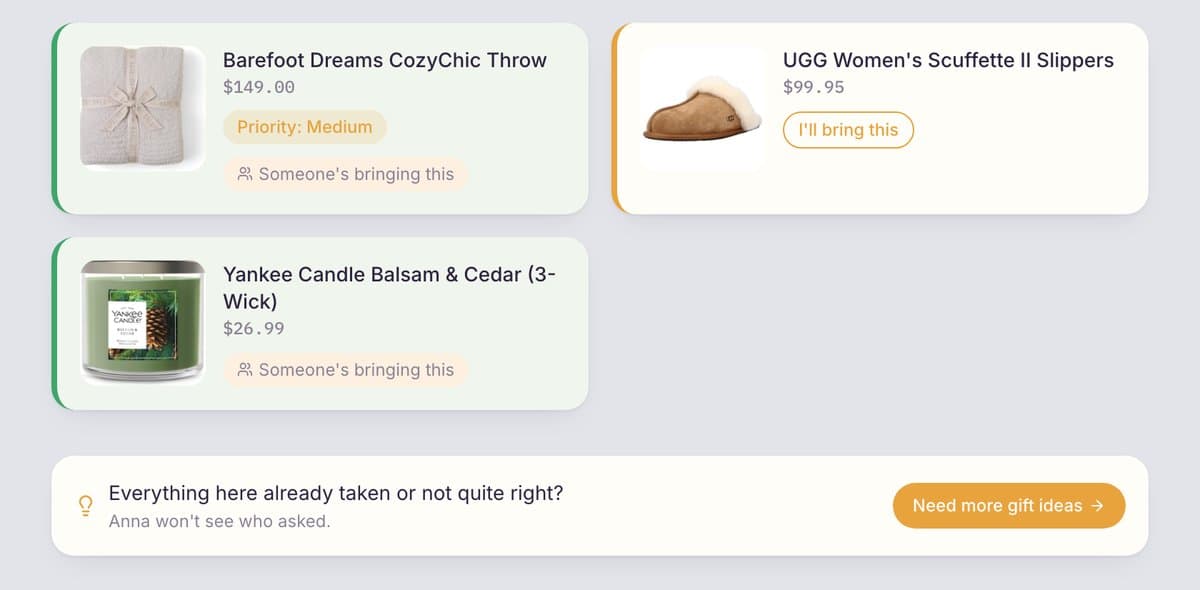
A short list has the opposite problem: once a few gifts are taken, guests run out of options. That is why Onelist shows guests a Need more gift ideas button when a list has fewer than five gifts or most of them are already reserved. They press it, and you get an email asking you to add a few more. It doesn't say who asked, so nobody feels put on the spot.
Tip 3: Add gifts that can be delivered
Everyone has a different rhythm. Some of your guests work long days, some live in another city, and some have small kids and no free afternoon for shopping. A gift they can order in two minutes and have delivered is often the one that actually gets bought.
So make sure part of the list comes from online stores that ship. Check that the store delivers to where the buyer lives and that the shipping time fits before the event: standard shipping can take several days, and small shops can take longer. In Onelist you paste a link from any store, so you can mix big retailers and small shops on one list.
One caution: don't put your home address on a list that many people can open. Tell it privately to the people who ask.

Tip 4: Be specific: size, color, edition and model
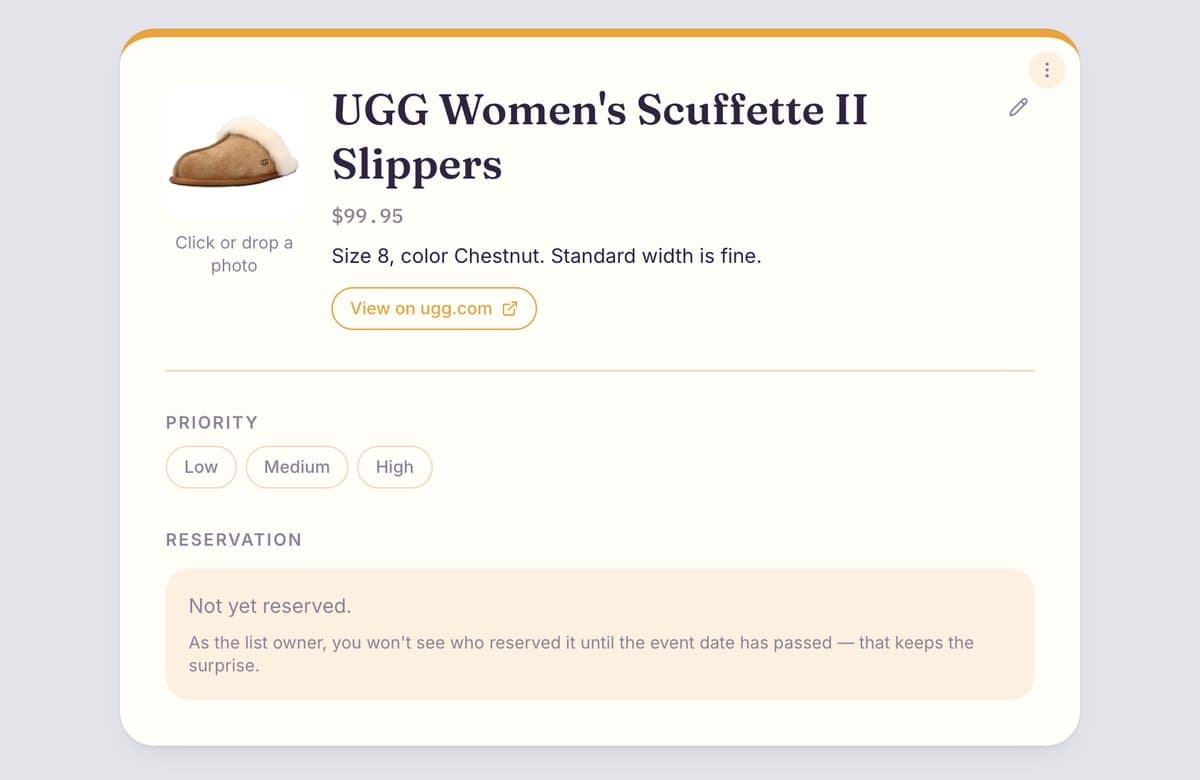
A wishlist item like “sweater” or “a good book” makes the giver do your work. Give them what they need to buy the right one the first time:
- Clothes and shoes: size, and the fit or width if it matters.
- Devices and cosmetics: color, shade or model, and which generation.
- Books: the number of the book, if you are collecting a series you have already started.
- Anything with variants: link to the exact page for the exact option, not the product family.
If you don't, people either skip that gift or text you to ask, and every question takes a little of the surprise away.
In Onelist, open any gift and add a note: there is a field for size, quantity or anything else the giver should know. It shows up on the gift page right under the price.
Tip 5: Don't forget non-material gifts
Not everything people want comes in a box. A friend who is expecting may care less about a seventh baby blanket than about a week of dinners she doesn't have to cook. Time, help and experiences are real gifts, and many guests would happily give them if they knew what was welcome.
A few ideas, depending on the occasion:
- New baby: frozen or home-cooked meals, an afternoon of laundry and cleaning, a friend who plays with the older child while the parents settle in with the newborn.
- Birthday: a day out together, a class or workshop, an evening of babysitting.
- Moving or a new home: help with packing, a night of takeout, a plant-sitting favor.
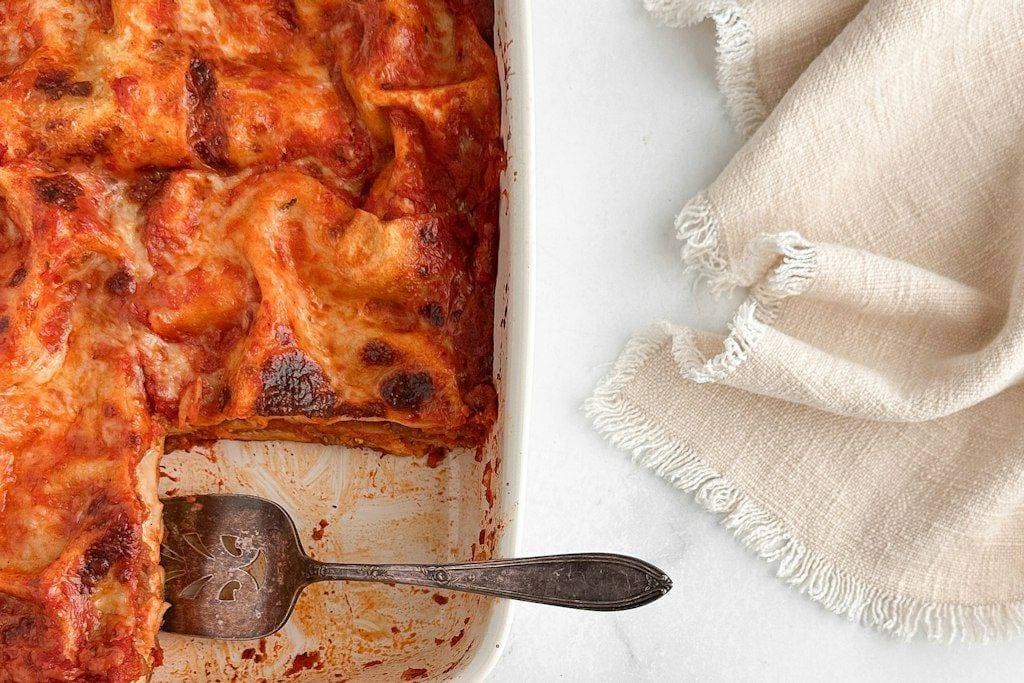
In Onelist, use Or add a gift without a link and name it, for example “Dinner for the first week”. A friend can then claim it the same way as a product, so two people don't cook the same lasagna.
Tip 6: Mark your top picks and say why
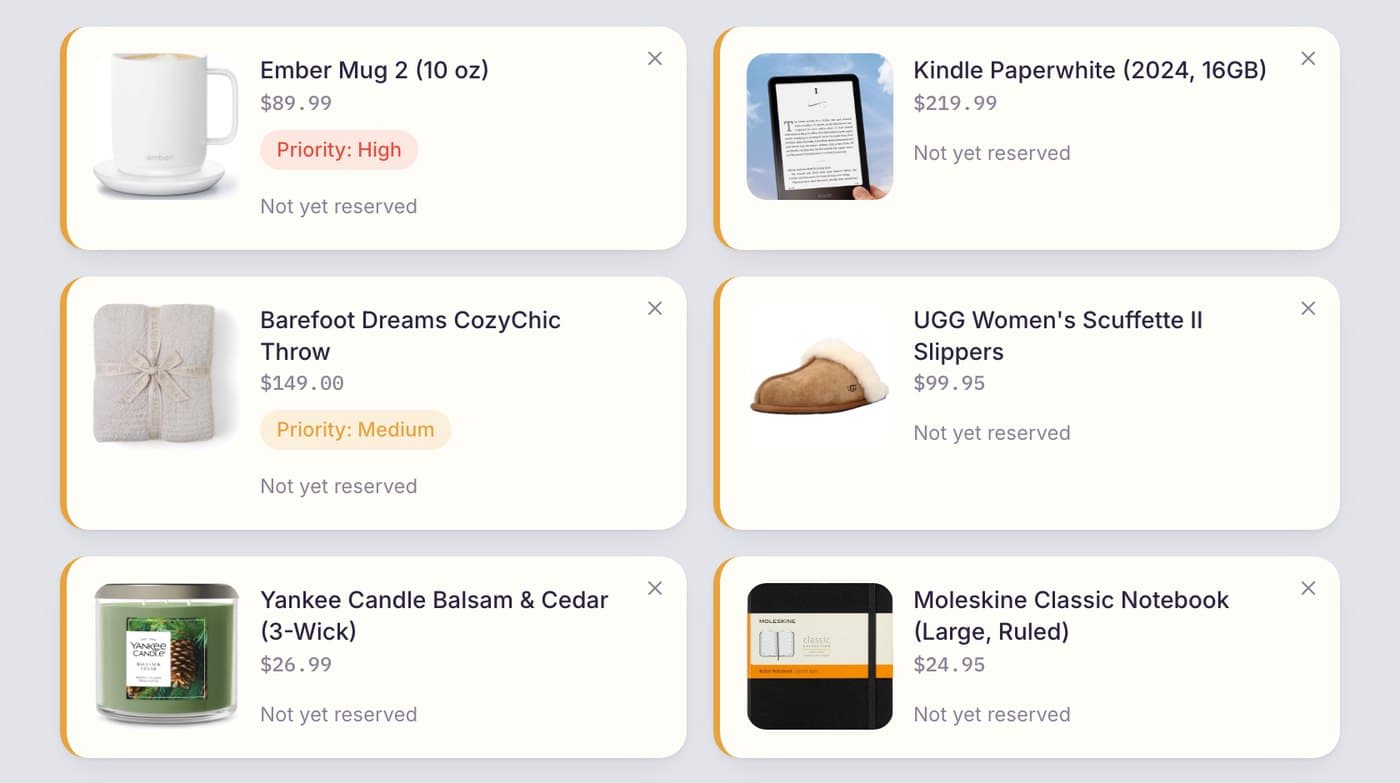
When ten gifts look equally good, the giver can't tell which one you would be happiest to open. Mark the one or two you want most as High priority and leave the rest as nice-to-have. A short reason helps too: “my old one broke” tells people more than a product name does.
Don't mark everything as high. If everything is a priority, none of it is.
Tip 7: Keep your wishlist up to date
A wishlist is a living thing. If you buy something yourself, remove it, so nobody buys a second one. If a new idea comes up, add it while people are still shopping. When you check the list, look for gaps: all the small gifts taken and only expensive ones left, or the other way around.
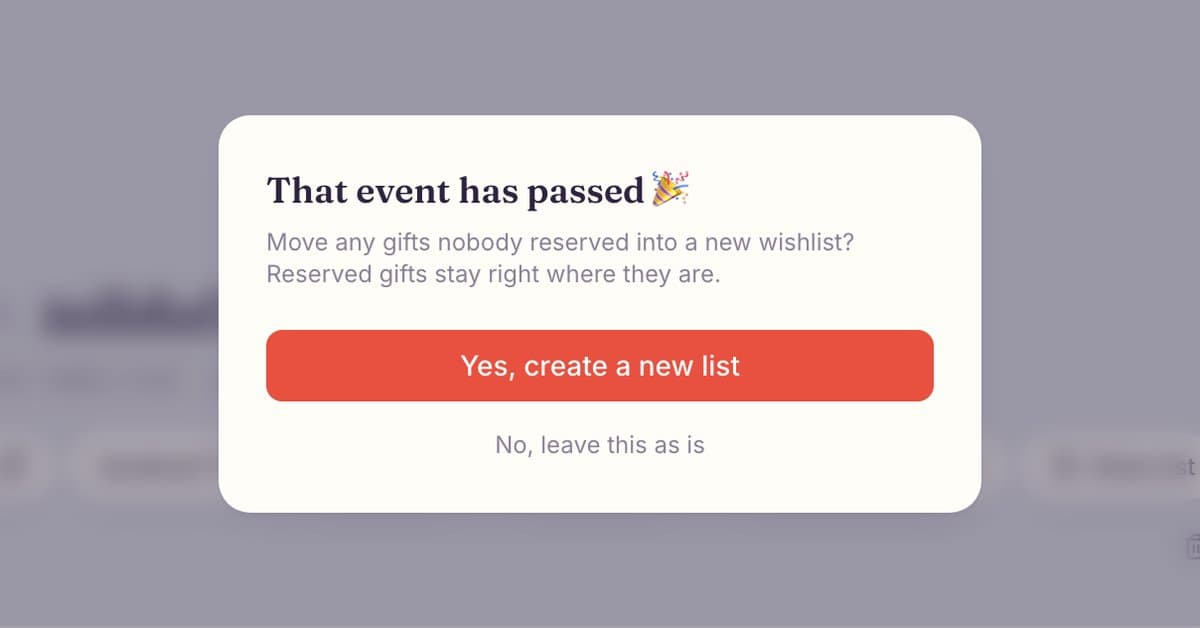
Reservations do the rest of the work. When someone takes a gift, it is marked as taken for everyone else, so two people never show up with the same thing. After the event date, Onelist offers to move the gifts nobody took into a new list, for example for your birthday, so the effort isn't wasted.
Tip 8: Invite your partner to edit a wishlist for a shared event
Some events belong to two people: a wedding, a baby, a housewarming, an anniversary. Two separate lists are confusing for guests and double the work for you. Make one list and let your partner edit it too.

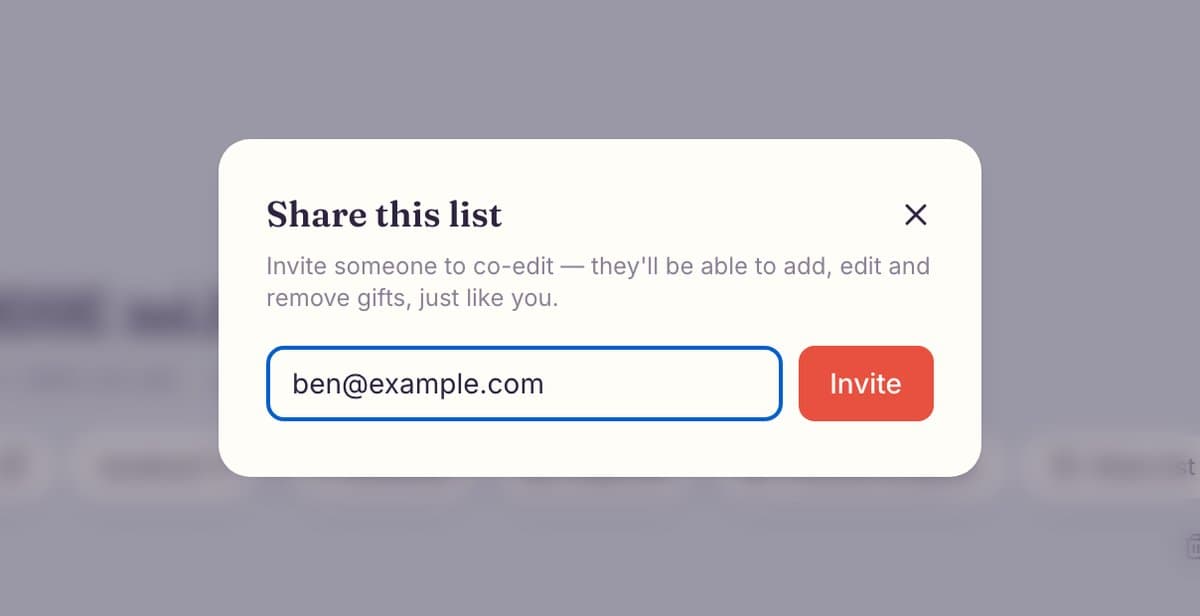
In Onelist, press Share list under the list title, type your partner's email and press Invite. They sign in with their email and can add, edit and remove gifts, just like you. Guests still use the normal link and don't need an account. Planning a wedding? Start from the wedding wishlist or the baby registry.
What to put on a wishlist
If you are staring at an empty list, build it from a few kinds of gifts instead of one long shopping list:
- Everyday upgrades: the better version of something you use every day, like a good water bottle or a warm pair of slippers.
- Consumables: tea, coffee, snacks, skincare or candles you already know you like.
- Hobby gear: the next book in a series, art supplies, a board game.
- Experiences and help: a class, tickets, a home-cooked dinner (see tip 5).
- One or two big gifts: things people can pool money for.
Here is what that looks like as a ten-gift birthday wishlist, with the detail that makes each one easy to buy:
| Gift | Price level | Detail to add |
|---|---|---|
| Loose-leaf tea sampler | Small (under $25) | Flavors you like, and any you don't |
| Fuzzy socks | Small (under $25) | Size M, gray |
| A5 dotted notebook | Small (under $25) | Hardcover, black |
| Book 3 of a series you collect | Small (under $25) | "Book 3" in the note, so nobody buys book 1 |
| Insulated water bottle | Mid ($25–75) | 32 oz, teal |
| Cast-iron skillet | Mid ($25–75) | 10 inch, the pre-seasoned one |
| Noise-cancelling headphones | Mid ($75–150) | Over-ear, black, link to the exact model |
| A pottery class for one | Experience | No link: add it as a gift without a link |
| Dinner cooked at your place | Help | No link: name it and a friend can claim it |
| Espresso machine | Big (family can chip in) | Model and color, with a note about the budget |
Need more ideas? Browse the Christmas list ideas or the birthday gift ideas.
Wishlist etiquette: what to do and what to skip
Some people worry that sharing a wishlist is pushy. It isn't, when you treat it as a favor to the people who asked what you want.
Do
- Share it when someone asks, or together with the invitation.
- Say that giving from the list is optional.
- Thank people for every gift, listed or not.
- Include cheaper options next to the big ones.
Skip
- Posting your home address on a public list.
- Listing only expensive things.
- Leaving gifts on the list after you bought them yourself.
- Sending it the day before the event.
Wishlist tips for every occasion
- Birthday: send it two to three weeks ahead, and mix price ranges if you invite a group. Make one with the birthday wishlist maker.
- Christmas: send it in early November and add sizes and colors. Start with the Christmas list maker.
- Wedding: invite your partner to co-edit and include gifts at every price. See the wedding wishlist.
- Baby: add meals and help next to the gear. See the baby registry and the baby shower wishlist.
- Any store, any occasion: a universal wishlist collects links from every shop in one place.
Put it all into one list
Start with ten or so gifts across three price levels, add the sizes and colors, add one or two things that aren't products, mark your favorites and send the link. Not sure what to add? The Christmas list ideas guide has 40 things worth asking for, and a universal wishlist takes links from any store, so you can keep everything in one place.
Ready to make your wishlist?
Create a free Onelist, paste your first gift link and share one link with everyone. It takes about five minutes.
Start your wishlistHow a wishlist from any store worksQuestions about making a good wishlist
Enough that each person has a real choice. As a rule of thumb, 10 to 15 gifts is a good start for a birthday or Christmas, and more if many people will buy. In Onelist, guests see a Need more gift ideas button when a list has fewer than five gifts or most of them are already taken.
At least a week before the event, and earlier if people need to order online: about two to three weeks for a birthday, early November for Christmas, and together with the invitation for a wedding, baby shower or housewarming.
Not when it is optional and easy to ignore. Make clear that the list is a hint, not an order, share it when someone asks or together with the invitation, and thank people for any gift, whether it was on the list or not.
A few, yes, as long as there are cheaper options too. Mix price ranges so every guest finds something that fits their budget. One bigger gift that family can chip in on is a good addition.
Yes. Meals, help, time together and experiences are welcome gifts, especially for a new baby or a move. In Onelist, use Or add a gift without a link, name the gift, and friends can claim it like any other.
A link to the exact product, the size, color, edition or model, the price and your priority. A short note on why you want it helps too. In Onelist, open the gift to add a note and mark Low, Medium or High priority.
A mix of everyday upgrades, small treats, hobby gear, something cozy, an experience or some help, and one or two bigger gifts, at different prices. Add the exact size, color or edition to each one.
In Onelist, copy the list link or use the WhatsApp, Telegram and Facebook buttons under the list title. It is the same link for everyone, and it stays the same when you add or remove gifts.
Share your list when someone asks or together with the invitation, say that using it is optional, and thank people for any gift. A line like "if you'd like ideas, here's my list" does the job.
Yes. Press Share list under the list title and invite your partner by email. They can add, edit and remove gifts, just like you. Guests use the normal link and don't need an account.
You Might Also Like
Photos from Unsplash. Screenshots show the Onelist app with sample data.